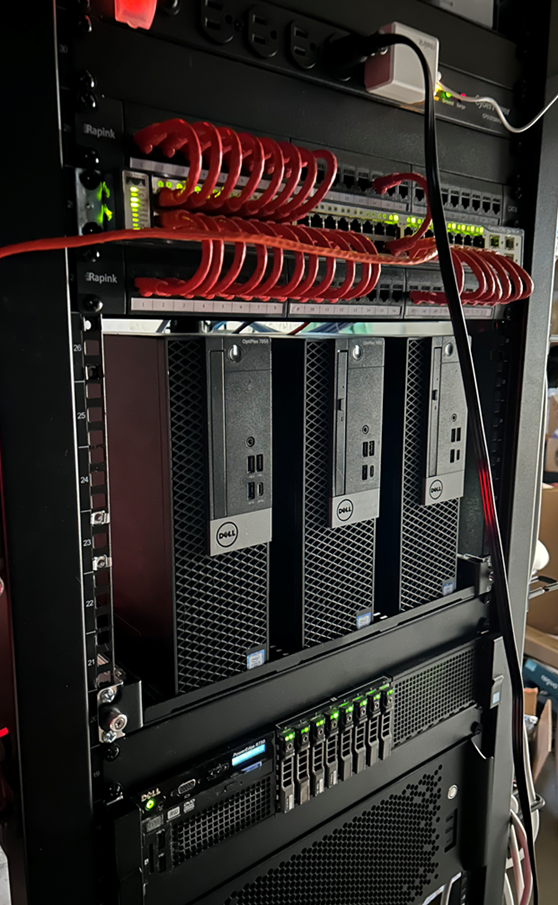
A homelab is one of the most effective ways to bridge the gap between theory and real-world capability. It’s where you move from understanding to doing. Often though, a lot of folks have the same question once they decide they want to do it; “Where do I start?”
Why a homelab?
Let’s start with the why.
A homelab is a self-contained environment where you control the infrastructure. It’s a safe place to experiment, break things, and learn how real systems work without risking production networks or needing permission from your employer. You also don’t have to sweat any surprise cloud bills.
This is a space to build functional skills by configuring and operating the same kinds of systems that underpin real-world cybersecurity capabilities.
Use cases with value
Here’s where a homelab pays off both personally and professionally:
- Cybersecurity Practice: Build networks, attack them, defend them. Learn how adversaries move and how defenders detect them.
- Hands-on with Tools: Use SIEMs like Wazuh, deploy firewalls like OPNsense, and set up vulnerability scanners like OpenVAS.
- Active Directory and IAM: Nothing beats building your own Windows Active Directory to understand authentication, group policy, and privilege management that most of the Fortune 500 will use. There are alternatives as well that, while not as feature-complete, still give you valuable experience like Authentik and Keycloak.
- Infrastructure as Code: Practice automation with tools like Ansible, OpenTofu, or Docker Compose to simulate real-world DevOps environments.
- Logging and Monitoring: Build your own telemetry pipelines and experiment with tools like Loki or Prometheus.
- Resume & Interview Fuel: Demonstrating self-initiated learning and practical application carries weight with hiring managers.
Start with What You Have—Then Level Up
You don’t need a rack full of servers to get started. A homelab can start small and grow with your skills.
Begin with a Single Machine
Use your existing PC or laptop and install VirtualBox or a bare-metal hypervisor like Proxmox VE.
Run a lightweight Linux distro like Debian, spin up a few virtual machines, and start experimenting with Linux, Windows, and firewall appliances in a controlled environment.
Learn how to use Docker Compose to quickly deploy multi-container application stacks. I wrote a post on this already but there’s lots of resources out there to explore.
Tap the Secondary Market
If you want to scale up:
- Look for used business desktops like the Dell Optiplex 7050 (cheap, reliable, and supports virtualization).
- Servers like the Dell PowerEdge R730 are great once you’re ready for enterprise-grade hardware.
Look for IT recyclers who specialize in reselling decommissioned corporate hardware.